

The Efiwe IDE has been updated with Workspace, a feature that lets learners attach their own CSS, JavaScript, images, fonts, and data files to the code they are writing and reference them by filename, the way they would in a real project. Saving now exports the code and every attached file together as a single .zip. The release also ships a significant accuracy overhaul of the IDE’s Diagnose feature.
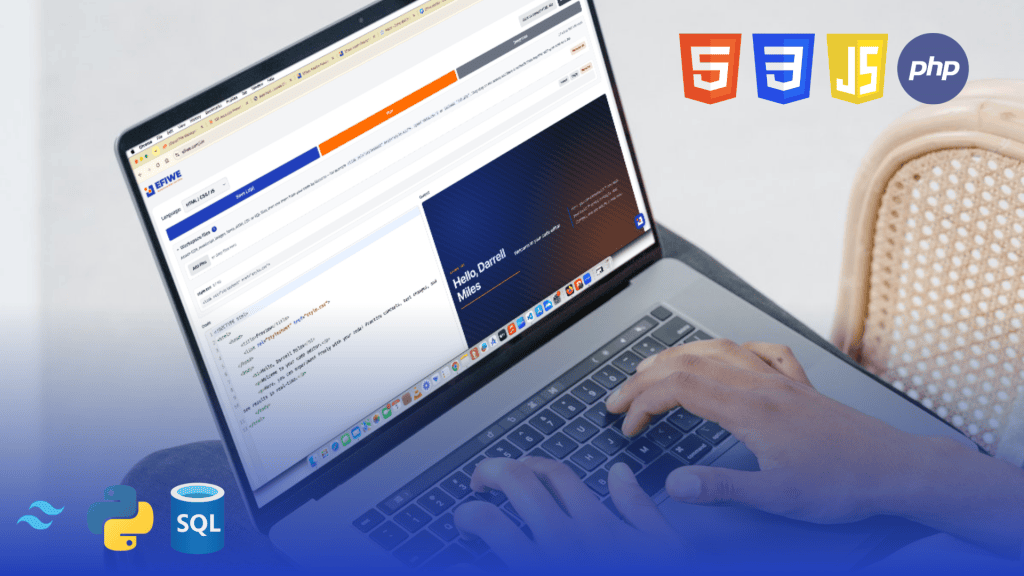
Efiwe today announced the launch of Workspace in the Efiwe IDE, its free browser based code editor. Until now, the IDE ran a single file in isolation. A learner could write HTML but not link a stylesheet to it, write Python but not open a data file, write SQL but not load a table from a CSV. Workspace removes that ceiling.
Learners can now attach files by dragging them into the editor or picking them from their device, then use them from their code exactly as they would anywhere else. In HTML, a <link rel="stylesheet" href="style.css"> resolves to the stylesheet they uploaded, <script src="app.js"> runs their script, an <img> displays their image, and fetch('data.json') returns their data. In Python, open('data.csv') reads their file and import helper loads their module. In PHP, include 'lib.php' works. In SQL, an attached .sql file runs automatically as a prelude to set up a schema, and an attached CSV or JSON file becomes a queryable table named after the file.
Attached files live on the learner’s own device and persist between sessions, so closing the browser and returning the next day does not mean uploading everything again. The panel shows a ready made snippet for each file, in the language currently selected, that can be inserted at the cursor with one click.
Saving has changed to match. With no files attached, Save behaves exactly as before and downloads the single file. With files attached, it downloads a .zip containing the code and every attached file in one flat folder, so unzipping it produces a project where the learner’s own relative paths already work with no adjustment.
“The zip is written from scratch inside the browser rather than pulled from an external library,” said Chidi Nwaogu, Co-founder and CTO of Efiwe. “That is a deliberate choice. Efiwe is built for learners with unreliable connectivity, and a Save button that quietly needs a network round trip is broken for exactly the people we built this for. It costs us about ninety lines of code to make Save work on a plane, or on a bus in Lagos with no signal. That is a trade we will take every time.”
Alongside Workspace, this release ships a substantial correctness fix to Diagnose, the IDE’s built-in code checker. A learner reported that four lines of Python were being reported as three identical errors. Investigation confirmed the report and found the same class of fault across every language the IDE supports.
A test set of sixty eight pieces of known good code was built and run through the on-device model. Python wrongly flagged six of twenty seven correct examples. HTML and CSS wrongly flagged any page using a responsive layout or an animation. SQL wrongly flagged any query containing a nested query. PHP wrongly flagged almost any file containing more than one block of code. All of these have been fixed, and the same test set now passes with zero wrongly reported errors, while a separate set of seventeen genuinely broken examples is still caught correctly.
Finally, the Code Playground that sits alongside the practice courses now points learners to the IDE when they need more than a single file. The playground remains deliberately simple, running one file on its own, and a dismissible note in the upload area explains where to go for attached files and links straight through to the IDE in the correct language for that course.
Workspace is available immediately to all Efiwe users at no additional cost at efiwe.com/ide.
or